
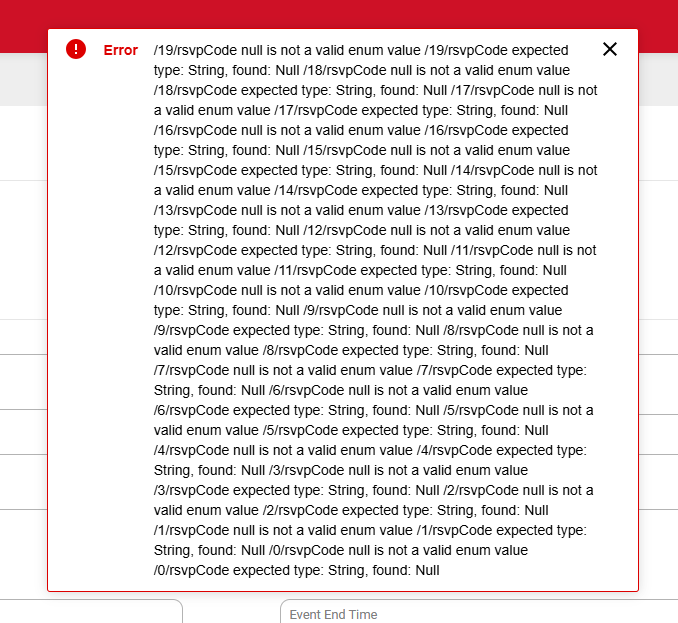
Is there a status update to the huge error message that appears every time we try to duplicate an event? The error is annoying because even though you get an error, the event is still created. However, to see the new event, you have to back all the way out to the calendar, then refresh the page. Then you can go back into the event and finish setting it up. It always duplicates with no invitees or reminders showing.
Scouting America IT does not comment on timelines. The developers are aware of the isuse.
Watch Scoutbook - Scoutbook Plus Change Log - Scouting Forums for an announcement of a fix.
Thank you. Just wanted to be sure, since all the other topics that discuss it are closed.
Changes are only announced in the Change Log. We do not try to keep threads open or announced changes in them.
Is there a known bugs list or bug tracker anywhere?
@DanielOsiedacz there is no External list
I’m happy to see that the new event is created despite the scary error message!
It is. It took me a while to realize it was actually created, because it isn’t visible when you return to the calendar. You have to refresh the whole page to make it appear. And the first couple of times I had created multiple copies before I realized it.


