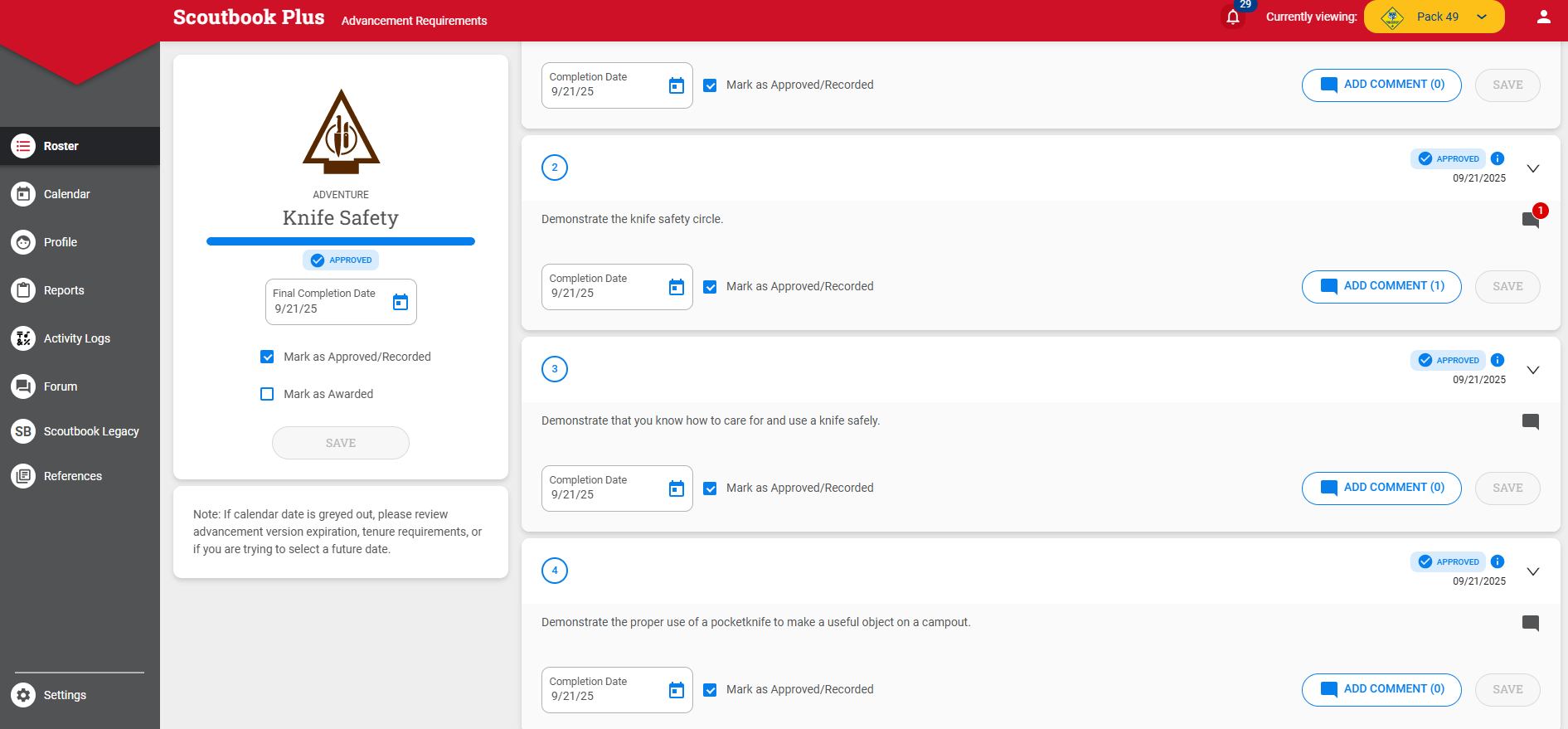
I’m in Scoutbook Plus, entering comments for AOL scouts that completed Knife Safety requirements, but comments won’t save, and will show up in place they weren’t entered. For example, I’ll enter a comment for requirement 2, and it will show up as a comment for requirement 1 or for the whole adventure. I’ve never experienced this in the past ~9 months of using Scoutbook Plus as an advancement chair or in the past 1.5 years as a parent, and I’ve entered numerous comments in the past.
I experienced this problem when using both Google Chrome and Microsoft Edge as the browser.
It seems like adding a comment for Knife Safety, requirements 2 and 4 works okay. When trying to add comments for requirements 1 and 3, it doesn’t save. When entering a comment for requirement 5, it ends up being saved in requirement 4.
Actually, when adding a comment for requirements 1 and 3, it will appear that the comment isn’t saved anywhere, then after refreshing the browser, those comments will show up in the overall comments for Knife Safety adventure.
Actually the situation varies. Sometimes entering a comment for requirement 4 will also not show up, then after a delay, it will show up in the overall Knife Safety comments section.
@JoeSawicki how are you entering the Comments? in Quick Entry? Individually?
@DonovanMcNeil – A screenshot is below. I’m in Scoutbook Plus, open any scout’s profile, open Knife Safety, then click on “ADD COMMENT.” This problem is consistent yesterday and today for the whole AOL den’s Knife Safety adventure. It hasn’t been a problem at all in previous months for other adventures.