Welcome! This forum has a treasure trove of great info – Scouters helping Scouters! Just a heads up, though - all content, information, and opinions shared on this forum are those of the author, not the BSA.
Wondering if this is just a new way of doing things or a bug.
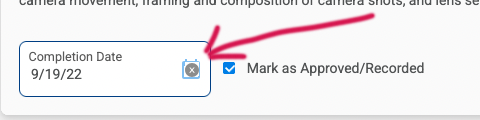
In Scoutbook, I can mark an advancement requireement as completed by giving it a date. I can even mark it as approved. I can then undo all of it by removing the approval checkbox, and then removing the date altogether.
But in Scoutbook Plus, when I try to delete the date completely, it gives me this error.
Scouts Bsa. For this screen, the SM signed off on requirement 6 of Life rank. I’m the advancement chair. Both of us have Troop Admin privileges (at least in the old scoutbook). But I think this probably applies to all sign offs in digital scoutbook. She was testing it and then wanted to “undo” it. I’ve done it before in old scoutbook and was able to take it off. But the new one you cannot.
When she was unable to, I also tried it and I couldn’t undo it either.
That was the first thing I did. It’s essentially the same thing as wiping out the date and saving it. But then it gives me the error message posted above.
Other people don’t have this same error and it’s just me?
Nothing is marked. That’s why I think it’s a bug. I don’t even know what the error message is saying. Because clearly it allowed me to mark it as completed. It’s just not letting me mark it as UNcompleted.
In the old scoutbook, to remove, you have to uncheck Approved first, and then you can delete the date. So I did all of that. Right now it’s an unapproved completion date that you just cannot remove altogether.