Hi,
I’m getting a message that someone else is using my email address.
Scoutbook seems to work for me, but when I click on my son’s advancement and it switches me to Scoutbook plus, I get error messages that “Something went wrong” and “Unable to find the person for the given GUID.”
Can you fix it?
Thanks!
@BruceBehrens First Scoutbook.scouting.org is basically retired - you should be going to Scoutbook+ (advancements.scouting.org) except for some MBC work and Payment logs.
You had a few users with that email - so that is cleaned up.
On the Scout - things for CB should be fine - WB you need to set up the parent relationship for your current Member #. Either Council can help - or unit key 3 can do it in SB+.
“Unable to find the person for the given GUID.” - might also be part of a bug that is being investigated, if you get that when signing into SB+
I’m having the same email issue on legacy Scoutbook.
I’m not sure if it is related, but I was assigned as a merit badge counselor for a scout in my troop last night. I was previously able to view his profile, but as soon as I was assigned, I get this message “Whoops! We encountered an error trying to process your request.” That scout’s member ID is 134505034.
Thanks for the help!
Update:
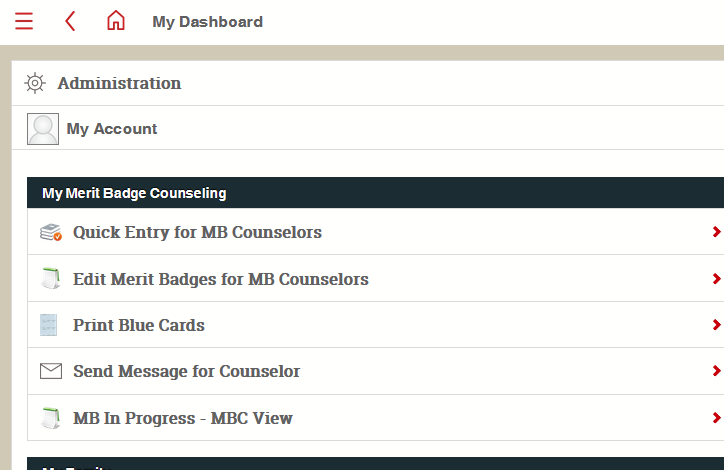
I was able to get access to edit his merit badge requirements a different way in Legacy Scoutbook. Thanks!
@RyanShipman- MBC tasks are still in legacy scoutbook and the menu you most likely used is the MBC functions.
That is where I was able to get in from. Since I’ve used legacy so much in the past, I was so used to going to the scout directly from the Patrol menu.
@RyanShipman- yeah…mbc functions and payment logs are at some point going to migrate to scoutbook plus. The end goal is to retire legacy
@RyanShipman The reason you were getting the warning message about your e-mail is because you had duplicate Scoutbook accounts. I have merged them.
Please ask your local council to use their Registrar Tools to look up your child (or children). In the “Relationships” tab / section, they should ensure that you are listed as parent only under your primary member ID number. This will help to prevent future issues, such as the creation of more duplicate Scoutbook accounts.
Thank you! Everything is working now!