
I’m trying to approve requirements and I am receiving this error. How do I approve them if the system won’t let me?

@LatnerG - that is interesting. What does it allow if on the rank page or what is shown there ? Hopefully the SUAC team can look into the issue.
Do you know which one is failing? @LatnerG
@DonovanMcNeil Looks like the Webelos Walkabout requirements disappeared, so just the Wolf Bobcat requirement.
@LatnerG how are you trying to enter them? I am not sure from Screenshot
@DonovanMcNeil from the “Advancements” tab, “To Approve”, “Requirements” on the Roster screen.
Does it approve from the rank page?
@LatnerG what is scout Member #?
@DonovanMcNeil 140276151
@DonovanMcNeil the rank page shows the adventure as completed and awarded.
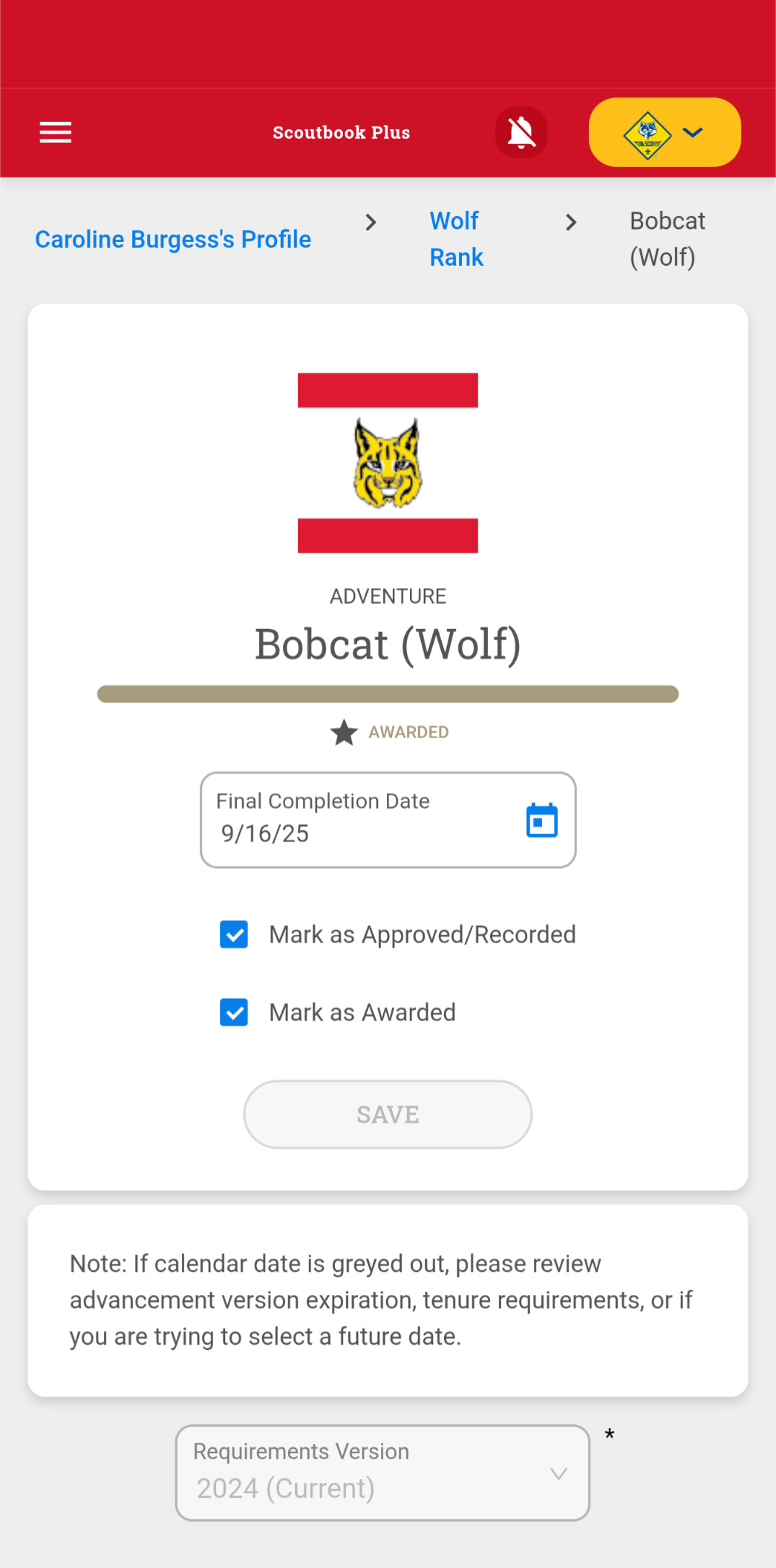

@LatnerG OK let me have Devs take a look - please leave in this condition for a day
@LatnerG might need a screenshare to see this - cause DEVs signed in as you do not see this issue - makes me think it is your cache.
@DonovanMcNeil That was the issue. F12, right-click the refresh button, click “Empty cache and hard reload.”
Why is it that ONLY Scouting sites ever have these cache issues? I don’t ever have any of these issues with any other sites.
@LatnerG- i am suspecting that the other sites are not used nor logged in by you nearly as frequently as scouting.org sites.
@Stephen_Hornak Not that it’s a competition, but there are a handful of other sites I log into on a daily basis. Also volunteers who don’t log into scouting.org sites as regularly as I do also have cache issues.
@LatnerG- that is true… not sure if Scouting America is really handling the cache and cookies well or as well other sites. But one thing I do is set my browser to clear cache and cookies on exit.
@Stephen_Hornak thanks for your help!
@Stephen_Hornak @DonovanMcNeil Apologies, clearing the cache did not fix the issue. It is persisting.


