
How can I contact to resolve this? My council says they can not help! This is for my son’s account who is registered in a pack, troop as a leader and then a crew same as I am.
Depending on the exact details, the SUAC might be able to provide some insight, assist directly, or refer you to someone who can assist. The description of the issue is somewhat vague. Are we talking about an issue with your son’s account or with yours? If your son is a scouter (assuming I understood your post correctly about being registered in a pack, a troop and a crew), it’s generally better if the scouter involved is posting.
- Where are you seeing the units that you “should not” (classic Scoutbook, Scoutbook+, Scouting app, my.scouting…)? Have you or your scout previously been associated with any of those units?
- Where are you trying to access advancements?
- What is your registered position in your unit and have your unit Key 3 assigned you any relevant permissions since the change to the permissions structure several weeks ago (blue banner at the top of these forums)?
- This is with my son’s account whom I’m trying to help out.
- Both Scoutbook and Scoutbook Plus have different issues.
- Iam a key 3 of the troop but not the other units.
- I do not see a blue banner about permission changes.
- I’m really looking for some way to contact a support center to talk through this myriad of issues.
There is no live phone (or other direct) support from national IT direct to volunteers anymore. Scouting America did away with that years ago. The alternatives for us as volunteers/parents are the SUAC volunteers via the forums here (some of whom could set up a screen share if necessary to understand/resolve the issue) or reporting the issue to the council professional staff, who can submit a MemberCare ticket to national. The latter may be necessary in any case, if the issues aren’t something the SUAC volunteers can help with.
The blue banner is at the top of all of the forums unless dismissed by the user:
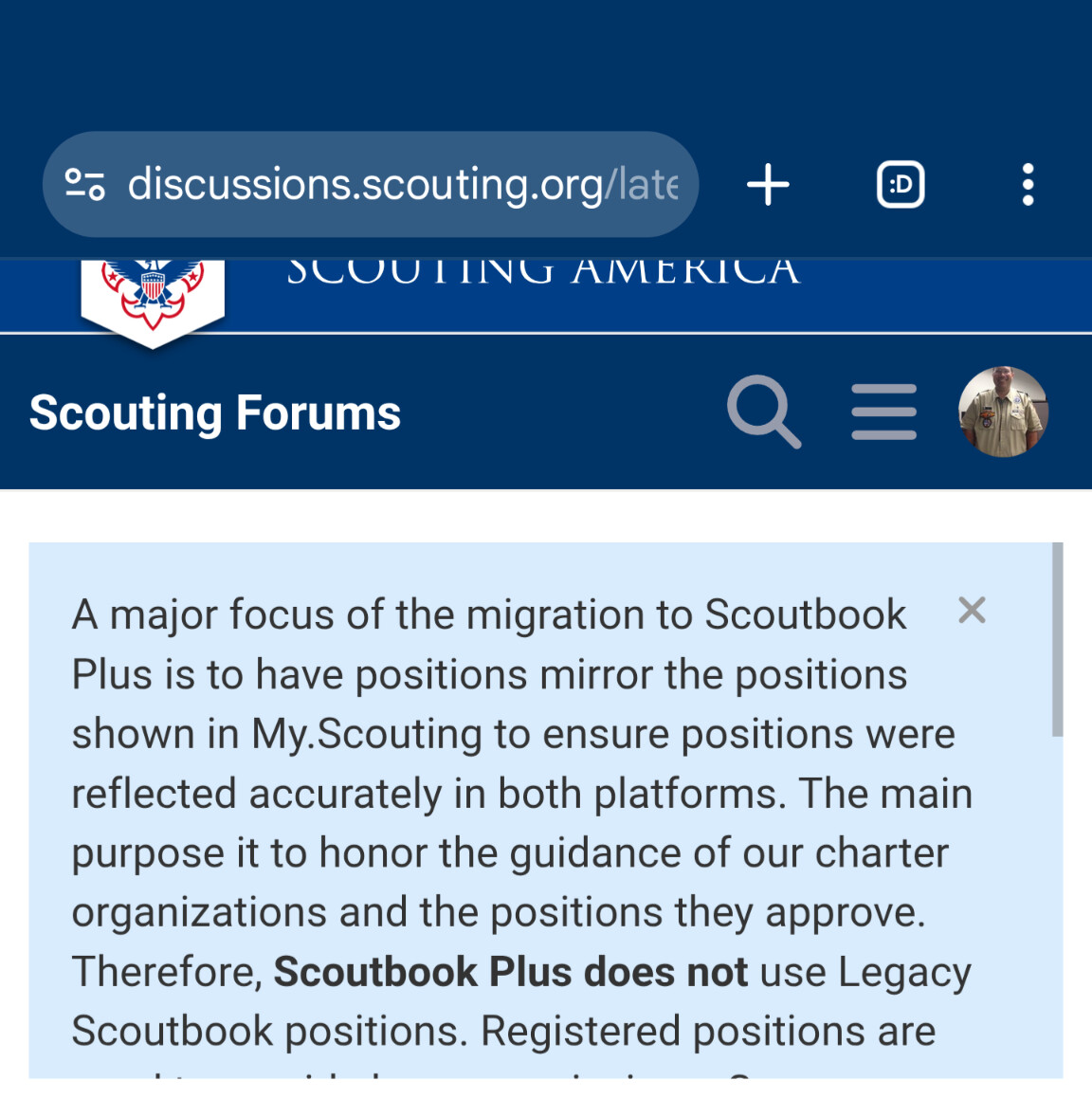
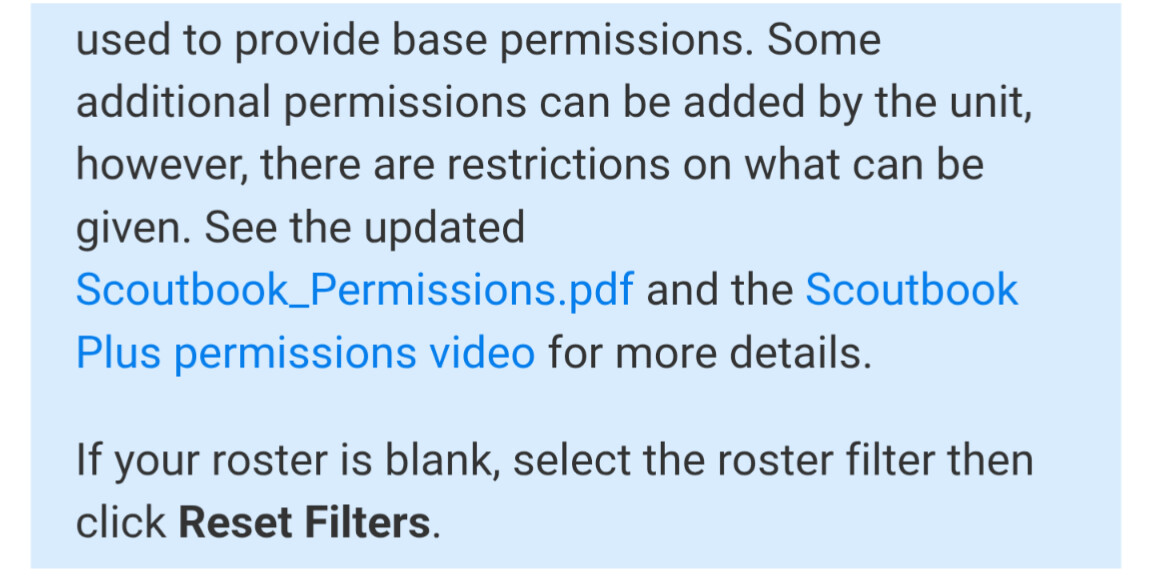
If you can provide some clear details about what the issues are, the volunteers may be able to help identify what’s going on.
@MichaelEarle so you say when you log in you see other units? how do you see them? What is the user number (if it is not yours) you are using to log in under?
How can the message be private? I’m not comfortable posting information like this to a public forum.
A member ID by itself cannot be used for anything - as long as it is not associated with a name all is good @MichaelEarle - if it is your son’s we can send you a private message
Hi Donovan. It is my adult son, I’m trying to help him resolve this as we’re all confused and frustrated. I’ve gone to two of our council professionals to no avail. I’d prefer a private message.
We see the other three units in Scoutbook and not in Scoutbook Plus. Once in Scoutbook Plus the units that appear are correct however he should be able to access CubScout advancements as the Assistant Cubmaster - it worked until recently.
Legacy Scoutbook and Scoutbook+ are different. Legacy can have fake or hanging open old memberships - they can just be ended in Legacy under Memberships usually by putting an end date.
Assistant Cubmasters ONLY receive by Default Calendar and Message permissions - all other have to be given by the unit. New Permissions Chart PDF
I will send you a direct message > look at top right Avatar to find it > it will be a green envelope > it will be a private message channel with select members of the Scoutbook User Advisory Council (SUAC)
@DonovanMcNeil , I have also been experiencing the same. I am the unit Advancement Chair for my pack - but I am unable to approve advancement for any scouts except those in the 1 den I am also a leader for. Based on my search of old posts, many people have had this experience but the "problem” was different for different people. Can you help me?
As Advancement chair you are not by default given permission to approve advancement. This is because in MANY units, it is not the role of the advancement chair to do so. See the post pinned to the top of the forums. It has links to instructions and a video that Key 3 can use to update permissions.
Hello @edavignon - To confirm, I watched the video for the new permission model. I have @SamanthaEarnhardt in the Pack as the Advancement Chair. In that role, if I check there is no Den/Pack distinction at the Advancement role level. It only shows one check box field, not the split that other users see.

If we wanted her to be able to approve advancements for the pack, would we need to remove her from the Advancement Chair role?
@PackChairJohnston with the settings in the screenshot she should have advancements for the whole pack
These are the same permissions she has had and is reporting that she can’t approve other dens.
To confirm, she is a Den leader in one of our dens. Could there be a conflict where if she was marked as both she only gets the more restrictive role?
@PackChairJohnston we will take a look
@SamanthaEarnhardt - in the top right drop down - you do not see a different Den Leader profile vs UAC profile - correct?
@DonovanMcNeil At the top Right corner I have 3 options: Parent 1, Parent 2, and Den Leader. Under Den Leader, it says “7 More Positions” and when I hove over that I see: Advancement Chair, Activity Approver/Creator/Remover/Editor, Advancement Approver, P.O. Creator/Editor, Advancement Awarder, Parent/Guardian, Den Admin”
@DonovanMcNeil Just circling back here. Thanks


