(If you are reporting an issue with My.Scouting, please include all of the following items so we can better assist you:
1) Hardware: Desktop
2) Operating system: Windows 11
3) Browser: Google Chrome
4) Browser cache has been cleared or you are using a private browsing mode (aka Incognito Window in Chrome) Cleared cache
5) Member ID & Council of person affected My member ID is 140351405, Occoneechee Council, Pack 500
Thank you!)
As part of the new permissions system in Scoutbook+, I had an issue where all of my Lion Guides, Tiger Den Leaders, and Webelos Den Leaders could not be assigned den permissions, while my Den Leaders could. I’ll post that separately if I can reproduce and document it. However, while looking into it, I noticed that I could move the leaders under these registered roles in the Position Manager in my.scouting.org, so I did so.
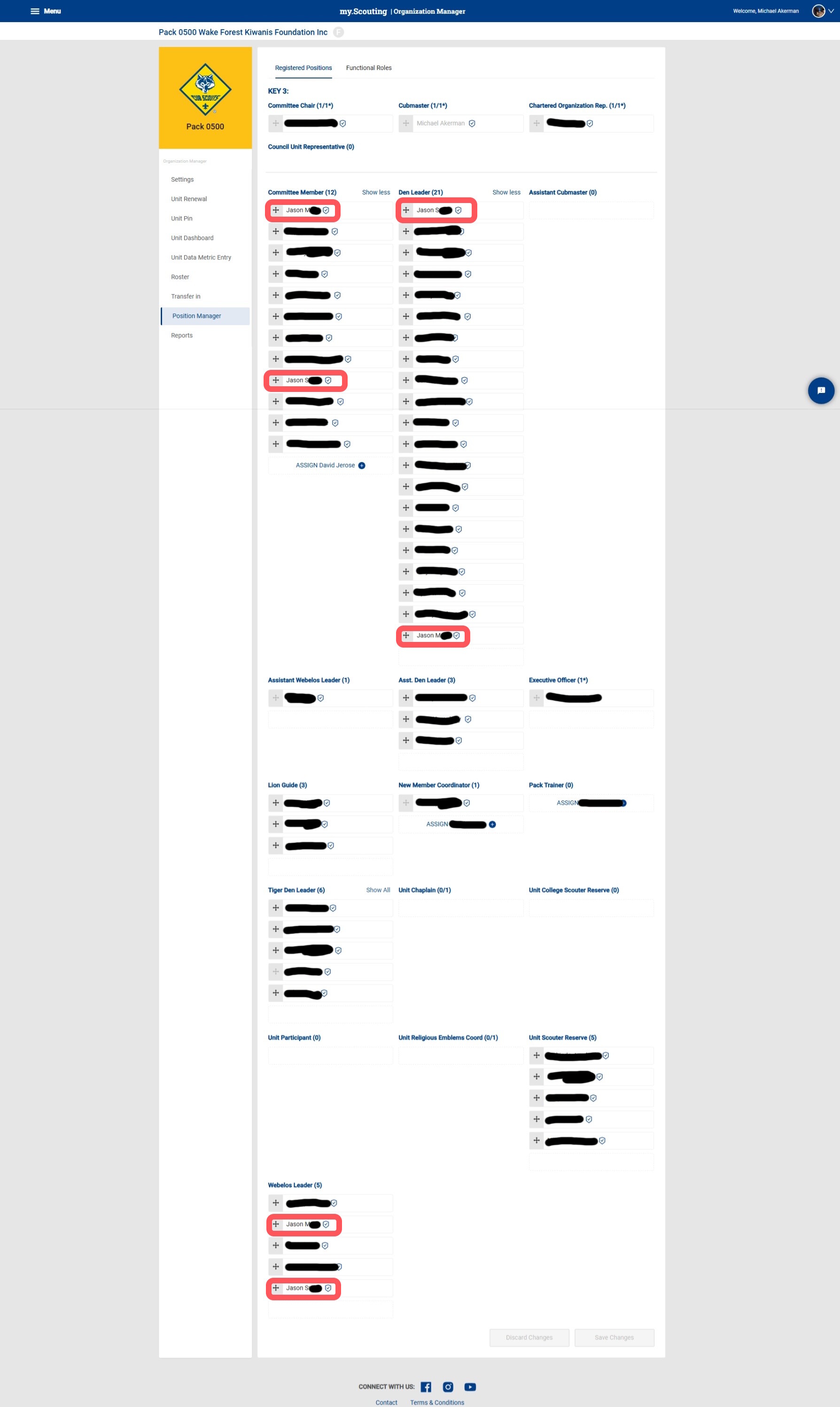
The result is that they have all been assigned the Den Leader role, but have also kept the Webelos/Tiger/Lion Den Leader roles as well, giving them all two registered roles.
To check what was happening, I also moved two of my Jasons (I have a lot of Jasons) into the Committee Member role, so now each of them has three roles. In no case am I able to remove a role from any of these leaders.
I’ve asked our COR to help me clean this up, since my reading since then leads me to believe that I shouldn’t have had the permissions to do that. It seems as if I inadvertently have the permission to add registered roles but no permission to remove them, resulting in the ability to assign any number of roles to a single leader but never remove these roles.
Here is a screenshot of the current state, highlighting Jason M and Jason S in their three roles: