I am trying to update the Scoutbook Plus of a Scout who is going into his Eagle Board of Review. The scout transferred from another troop and in that troop they did not enter the scout’s hardcopy handbook record into Scoutbook. So, I am trying to update his record.
He earned up to Second Class in the other troop and part of his First Class requirements in that troop as well as our troop. All subsequent updates in Scoutbook Plus were made for his Star and Life and Eagle requirements.
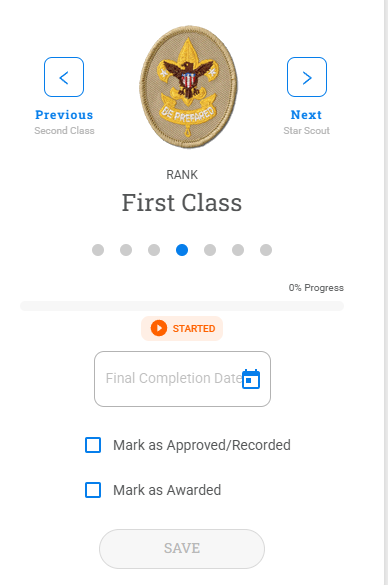
I initially had problems entering any completions and approvals until I realized that I needed to take out the Board of Review completion dates and approvals for all of the ranks. I then was able to successfully enter all of his requirements from Scout to Second Class, but when I tried entering his completed requirements for First Class, Scoutbook Plus would say that the entries were saved but when I moved off of his First Class requirements page to Second Class and then back to First Class, all of the entries for First Class disappeared. I tried multiple times to enter the completion dates and approvals. I also tried using the quick entry feature. But, in all instances none of the completion dates/approvals would “stick.”
This is really frustrating!
Can someone help me fix this issue so that I can entered this Scout’s advancement ahead of his Eagle Board of Review in a week and a half, please?
@JamesKim- all that is needed is the final completion date. Are you able to enter that?
@JamesKim
Stephen is correct, as long as the ranks are approved, it does not matter if the requirements are marked complete or not. This will not affect the Scout’s Eagle Board of Review.
Yes, that is where I started.
I was trying to enter all of the completed records for his First Class rank in the manner that I did for all of the other lower ranks with no problem.
I did have to back out the completion dates on the higher ranks in order to do this, but for some reason, the First Class rank requirements do not stay entered when I leave the first class rank and come back to it.
I think there is a database issue for this specific scout that is causing the problem.
Is there someone that can check that for me?
@JamesKim- you do not have to enter the requirements.. just the over all rank
I understand that I don’t have to enter all the requirements, but I want to so that there is a completde digital record for the Scout that can be printed out.
@JamesKim
Since what you are trying to do is not the standard flow and not required for Eagle, I doubt Scouting America IT will spend time investigating. Your best bet if you want it pursued is to ask your Council to enter a Member Care ticket.
@JamesKim
You could be running into a cache issue. Log in to a new incognito window and see if the reqs are there.