
I was processing awards for our pack and thought I was missing an item I ordered. When I opened the purchase order in Scoutbook Plus, I noticed many of the items and scouts were missing. Looking into it further, I found that when I marked an adventure as awarded, it disappeared from the PO. I tried viewing the report in different ways but the only items left are those not marked as awarded. Shouldn’t these items remain on the PO regardless of whether they have been awarded or not?
No. The idea of the PO is to list items that need purchasing. If it’s been awarded, there’s no need to purchase it.
ETA: If you’re awarding out of stock (e.g. immediate recognition items) and want to refresh stock, you could leave it un-Awarded until the PO is finalized or you can manually track how many you awarded, then add back on to the PO later.
ETA2: Ed raises a good point about closed vs open POs.
Are you referring to open purchase orders? An item that is awarded does not need to be purchased and thus will drop off an open PO.
Closed POs are supposed to be locked and items not removed.
OK - this seems like different behavior than Scoutbook. I recall checking open PO’s in the past as I was awarding items. I will close future PO’s before starting to mark things as awarded. Thanks for the clarification.
My issue with purchase orders is that I created it in step 2 and never got a PO or advancement report to take to the scout shop. The items show as recorded for the scouts, but I have no document to print or view.
So you have no PO at all, or just that the awards are missing from the PO?
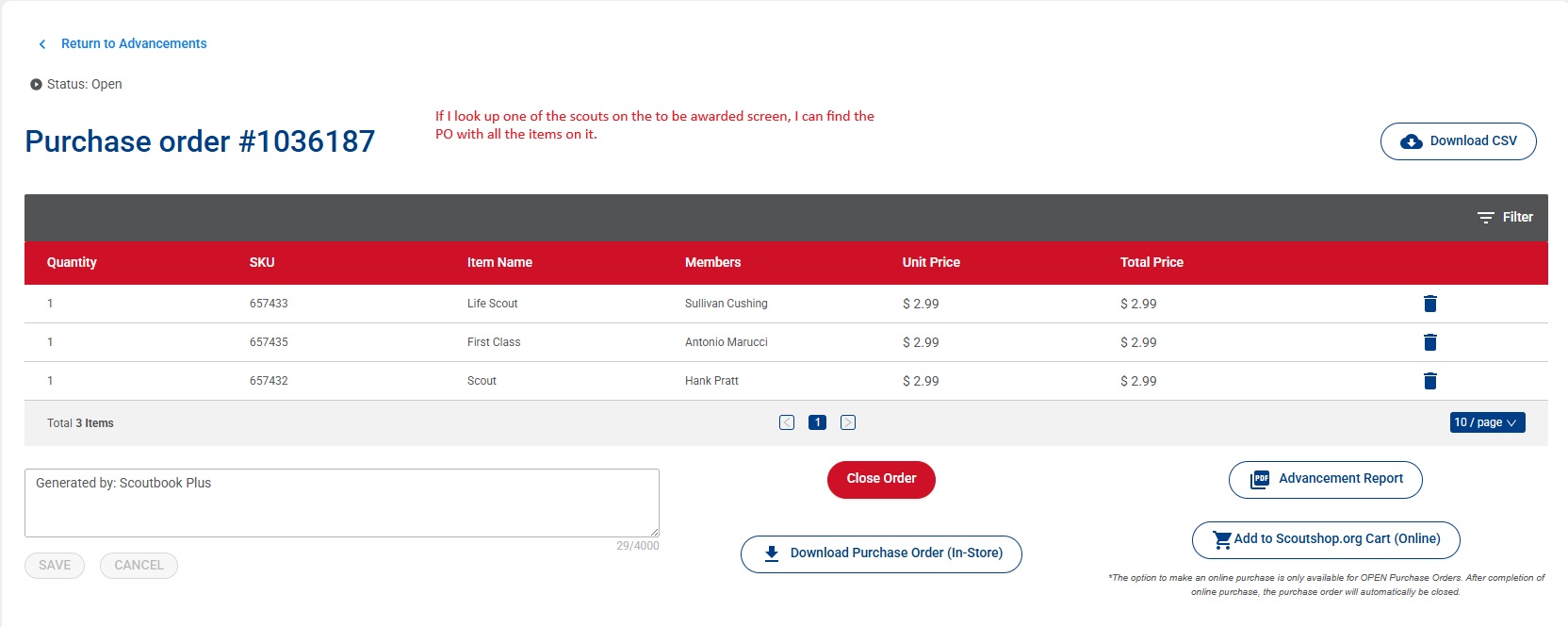
I finally found the PO by going to the to be awarded report and looking at the PO# that showed up for one of the scouts that would have been on the report. From there I was able to view the PO and print the advancement report. The PO# is 1034599. I did not close it in case you want to look into it to determine why I did not receive the PO# or view the advancement report when I created it.
I’m just a unit ASM who tries to help point folks at a solution, but the SUAC folks may be able to pass it along to the developers for further investigation. Thanks for chasing it down and getting it reported!
You don’t see something like this in Step 2?

A screen shot would help explain to the developers what the problem may be.
No, the screen came back as though it was back at the beginning of the process, no Purchase order number, created date or item total. If it happens the next time, I’ll take a screen shot.
We had the exact same thing happen and found the report through the same method you did. But the PO still doesn’t show up where it is supposed to. I’ll be curious to hear if there is any resolution to this.

Try a hard refresh or ingocnito window.
What do you mean by a hard refresh? Scoutbook plus requires a refresh every time I login to it anyway.
He’s talking about forcing the browser to reload the page where the open PO should be showing (and/or the page prior to that, then returning to the open PO page).
For example, CTRL+SHIFT+r or SHIFT+ the reload button in most Windows browsers.
ETA: This can indicate that the browser isn’t refreshing the page when it reloads, and is simply using the cached version of the page. I don’t know if that’s a browser issue or some sort of signal that needs to be triggered by the page itself.
You can find instructions for hard refresh here.
https://www.howtogeek.com/672607/how-to-hard-refresh-your-web-browser-to-bypass-your-cache/
Scoutbook Plus pops up the refresh message after an update to ensure you have the latest version and not using cashed pages. This is different than the hard refresh above.
I’ll try that the next time I have advancement to process.
Steve, I am late to this party, just ran our awards this past week and had this same struggle. I know the program is buggy, but that doesn’t solve getting the scouts their awards. We chose to back things out in scout’s records, re-enter them, add them to the PO. It worked for everything that had disappeared, a temporary work around till the program is fixed. We did have one award that shows in the scout’s record but would not allow us to approve, we kept getting error messages and we were not able to add it to a purchase order. We reported the problem to council and we are still working on that one. We also had a glitch with a scout that is due to renew (renewal was 8/31) and we wanted to wait to renew them till we connected at our first meeting to make sure they were continuing. The record showed the awards, but refused to let us add them to the PO. I ended up renewing the scout and all the awards became accessible to add to the PO - another bug clearly. Good luck!
I tried both a hard refresh and an incognito window on two separate POs, neither option worked. As a workaround, I still had to go into the “To award” tab to find the PO and print the advancement report..


