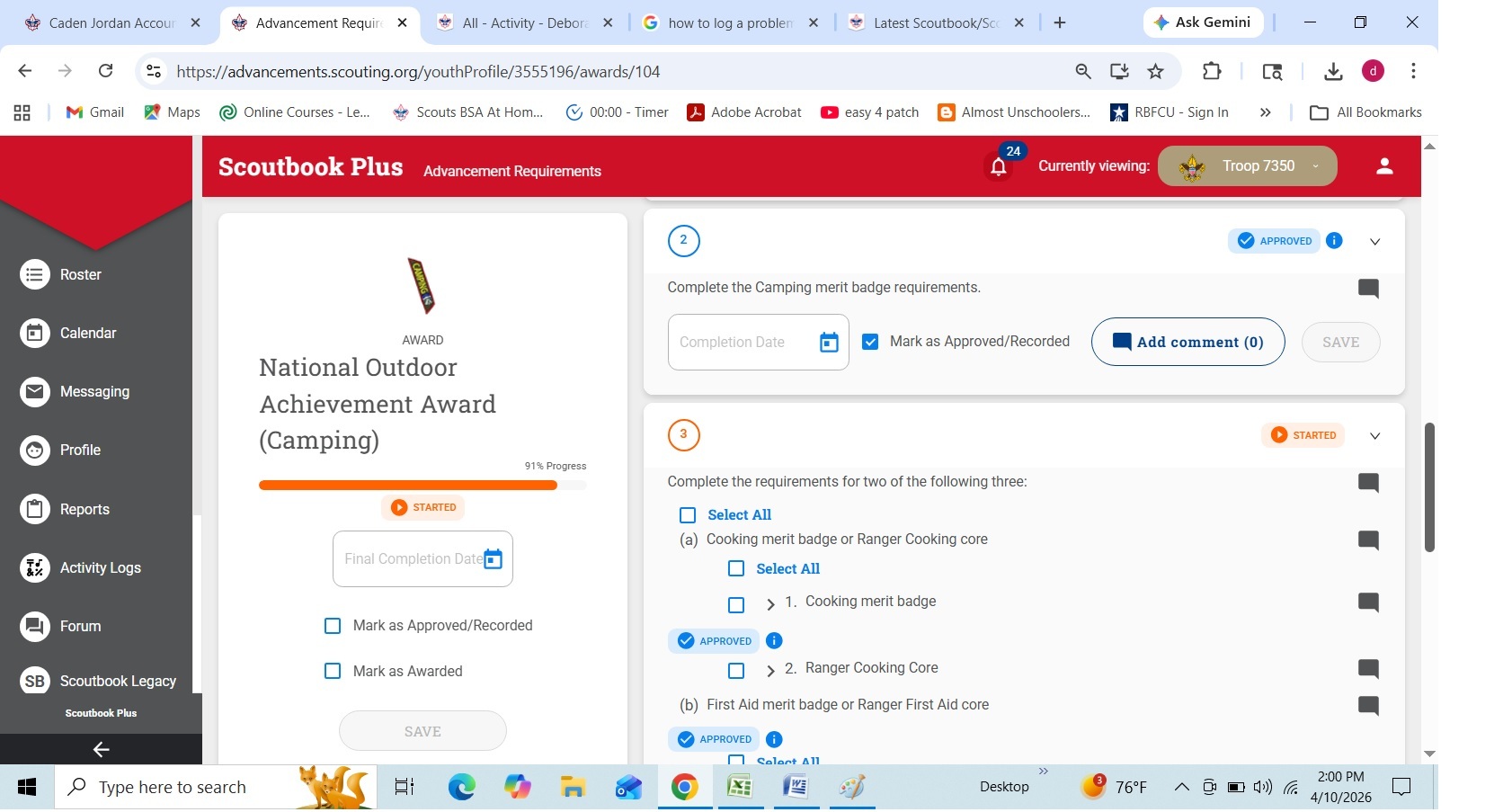
NOAA shows merit badge requirements approved when merit badge incomplete

Merit badge requirement shows ‘approved’ even though merit badge incomplete.

Select AWARDS

Select ‘national outdoor achievement’ – scroll down to the ‘camping’ section.

Under ‘merit badges’, shows cooking and camping as started but not completed which is accurate.

However, scoutbook shows ‘approved’ under requirements 2 for camping and requirement 3 for cooking even though these merit badges are not complete.

While I can uncheck the approval, I can’t save it.

I am having this same issue with multiple scouts.
The member id of one of them is 133269990

How can I fix this?

@DeborahDelano - I would ask what is your role in the unit and do you have the permissions for advancements ?

@DeborahDelano odd - let me look NOAAs are an issue. do they all show approved and no date?

that is correct, approved but NO DATE.

I am the unit advancement chair and key 3 delegate.

@DeborahDelano any audit data show for #2 on who/how approved? If you hover over the Approved

Yes, it shows approval in 2022 by one of our leaders. But, this issue is occurring with multiple scouts which is confusing to me.

@DeborahDelano thinking on this last night. This award does not auto complete the MB requirements when the MB is done - that is why it shows them all. So at some point the user went in and did it themself.
I think your first step is to a have a conversation with the user to see if they recall why they approved them.

The person who shows as the approved is not a scout.

Regards,
Deborah

Yes they are a leader - see why they marked it approved

This leader did not approve the requirement.

I have another example that shows myself as the approval person for merit badges under NOAA - camping as well as ‘sea scout apprentice’ that I did not approve.

The scout in this example has memberid 130740829.
Again, these entries are not correct, and I’d like to know how to remove the approval.

@DeborahDelano - what if you enter the date claimed by the audit then save then back out the approval and date and save

Thank you for the workaround; I added the date, saved it, then went back in and removed the date and approval and saved again. I do get the following error both times I saved which I’ve seen has been reported.