Welcome! This forum has a treasure trove of great info – Scouters helping Scouters! Just a heads up, though - all content, information, and opinions shared on this forum are those of the author, not the BSA.
On the Scoutbook side? I cleared the cache and cookies in my browser. Other leaders in the troop have the same issue with not being able to see those two scouts in the SB+ roster.
Where is the cache in Scoutbook Plus? Do I need to clear it somehow for the system to pull them in? None of the other adults can see these scouts in Scoutbook Plus either.
The local cache is not the issue. I get the same results after clearing my browser cache and cookies, using different web browsers, using the mobile web on my phone. Other adult leaders using different computers and browsers also do not show these two scouts.
This is an issue with SB+ not pulling in these two scouts to our roster even though they’re on the my.scouting.org roster. I don’t know if it is a setting issue with their profiles or if there is something that needs to be connected in the backend database, but we need help to get them onto the troop roster.
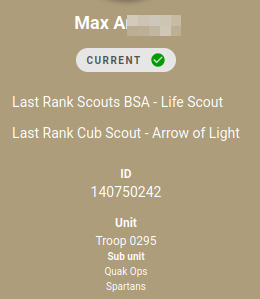
@JudsonStrom- thank you. That is good info that perhaps the SUAC folks can dig into what is happening. I do note the caution symbol on the one scout. And the prior MID’s. Might be something with that and multiple scoutbook user id’s.
@JudsonStrom- not sure myself, but I think we let the SUAC take a look when they can. It is sometimes messy when scouts in military families move around between the Scouting America MID and the scoutbook id’s things can get really jumbled. And does clicking in advancements in scoutbook classic for those scouts lead you to their scoutbook plus pages
Yes, clicking their advancements from the LSB page brings me to their SB+ page. The Unit shows our troop and I seem to be able to click through and select/approve items in the profile. David R. shows up with his new MID in his SB+ profile even though that is different from the my.scouting.org roster…
@JudsonStrom- and David does not show the current check box under his name. At the very least you can get to their logs, advancement, etc. That is a good thing although not optimal from the roster side. Changing the filters in the roster does not change anything either I would gather.
No, changing the filters doesn’t include them. David is in his renewal period (12/31/25) so I guess that is why he isn’t current? Or his renewal (as shown in my.scouting.org) is for his old MID, so it doesn’t show the new MID (used in SB+) as current?
@JudsonStrom I think this is fixed. You might need to wait for the overnight sync to run.
I recommend asking the council Registrar to use the Registrar Tools to look up the Scouts and clean up their “Relationships”. Each parent should be listed only under their primary member ID in your council.