Dear Scoutbook Plus - back again with the same problem that continues to grow…as a tool SB+ has so much potential but everytime you update with an ‘improvement’ it’s weeks of backwards steps.
I’ve cleared the caches, tried 3 browsers and still cannot enter camping nights for my pack this weekend. For the same weekend event I was able to add the hiking mileage and service hours for a project we did on the campout but it won’t accept the camping nights info when I try to add it for those that participated 
Also, found out that parents using the app to log hikes with their cubs aren’t showing up for me to approve - heck they aren’t showing up period! Can’t run a hiking log by youth report it’s the whole unit or nothing.
We are asked to log this info so it can be measure we are getting the kids outside and in nature…
I really need help with this issue.
We have end of the year awards coming up and need to get the extra activities approved so that we can pass out encouragement awards at the appropriate levels - parents already spent the time entering info - are we supposed to go back and ask them to do it over multiple times?
Every day the activities to be approved grows.
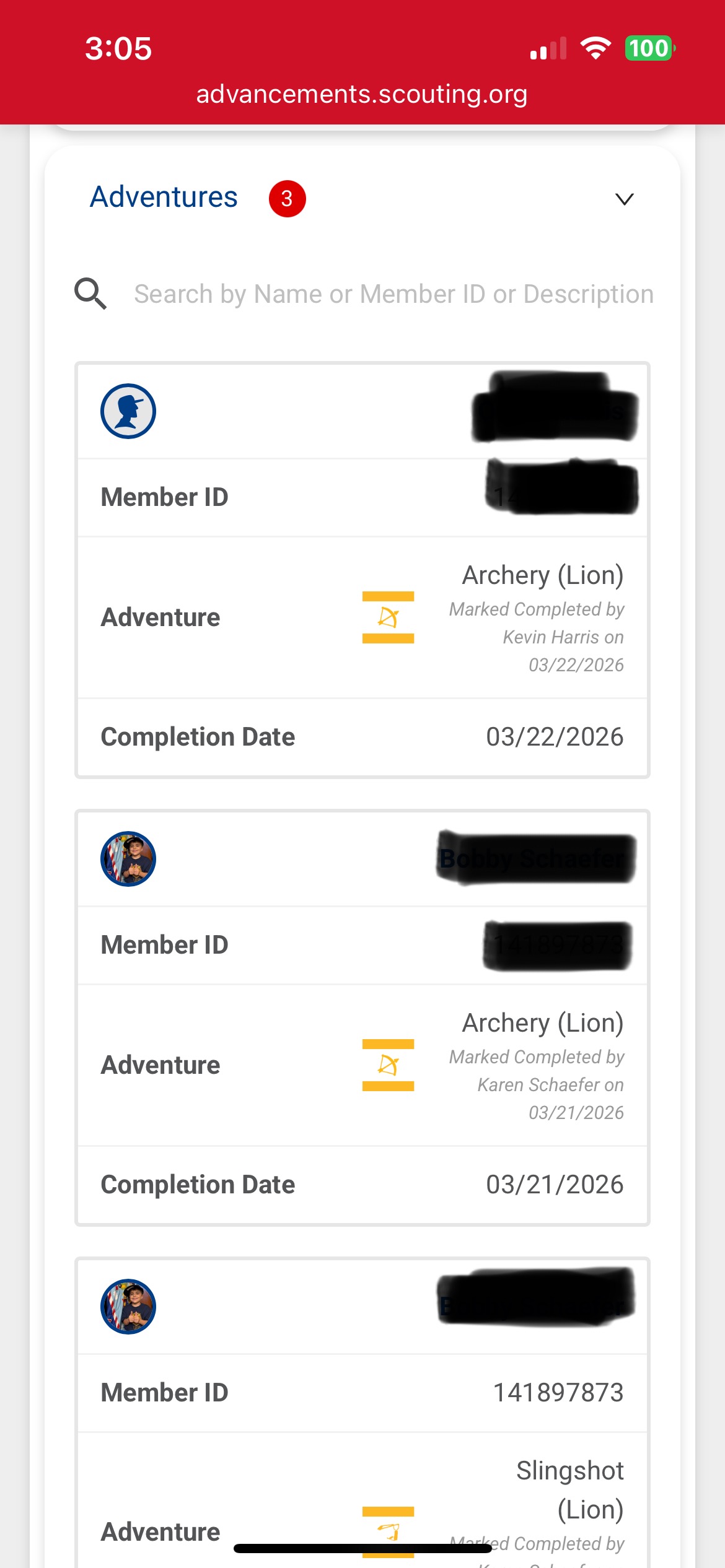
The 1st screen shot shows the items that need approval and items that need to be added to a PO, 2nd Screen shot shows the increasing number of activities needing approval - when I click on it nothing shows up on screen; the number just gets larger every time a parent adds in a hike or service project 3rd screen shot shows adventures parents entered as complete (this section of the system works fine for now)
@LianneRutty - can you get them to use the website instead of the scouting app
I guess I have to ask them again - it’s not solving the issue that there are activities I am unable to see to approve, I’ve gone through the history for our pack. I will have no idea if someone gets missed now
Still the problem of not being able to enter camping is not solved though.
There is clearly a problem in the coding portion - maybe before making other improvement updates the developers should go through the things not working as intended list and repair those first
@LianneRutty - on the camping if entries are zero it will not save. Revise to zero after the save
I just keyed a 1 for day, 1 for night and 0 for frost points and it worked -
Please have the developers mark that all fields must be filled in to save because that’s something new since our March 2026 campout and there is no error notification that the form is incomplete
FYI - the issue of not being able to see what activities need approval still exists and is still a valid issue - will it be something that gets looked into?
@LianneRutty - if the activities are being entered by the parents in the scouting app I would check with one of the parents and have them show you what they have entered there. The app does have an off-line mode and i wonder if it is not really syncing the data. The could clear the app cache and data. But it may be best to see how they are doing this. But priority would be for them to use advancements.scouting.org on their phone instead of the app which is marked beta as it is in the app store.
Verify you have permissions to approve activities. It sounds like you may have permissions to record but not approve, are you using your parent profile instead of your key 3 profile?
I have verified I hap permission to approve activities, create and edit them too.
Checked in to approve some adventures and the activities to be approved number in red bubble has increased again!!
Isn’t anyone able to help me out? I have gone through the 100+ pages of history and everything has been marked awarded or approved…what are these 39 activities?
Screenshot from my profile page
Screenshot of the red bubbles in To Approve Page
@LianneRutty ok looking again I am confused now - do you have a minute for a fast screenshare so I can see it?
Or is this about Activities showing a red number and nothing is there when you check?
Sure - best way to facilitate this??
@LianneRutty I will send you a direct message > look at top right Avatar to find it > it will be a green envelope > it will be a private message channel with select members of the Scoutbook User Advisory Council (SUAC)
correct - the activities number continues to grow, yet when i click it to approve what ever is in there causing it to grow (parent entered service & hikes most likely) there is nothing to see - the spinny wheel and then blankness
Yes the Red Numbers are annoying - they pull everything for all users - so if there are things outside your unit they show as a number - but when you open to approve they are not there cause they do not apply to your unit. VERY ANNOYING and SUAC has complained about it.