Welcome! This forum has a treasure trove of great info – Scouters helping Scouters! Just a heads up, though - all content, information, and opinions shared on this forum are those of the author, not the BSA.
I’ve long had an outstanding issue where I seem to have 3 (or more) scouting.org accounts, but I haven’t been able to Add / Merge them myself.
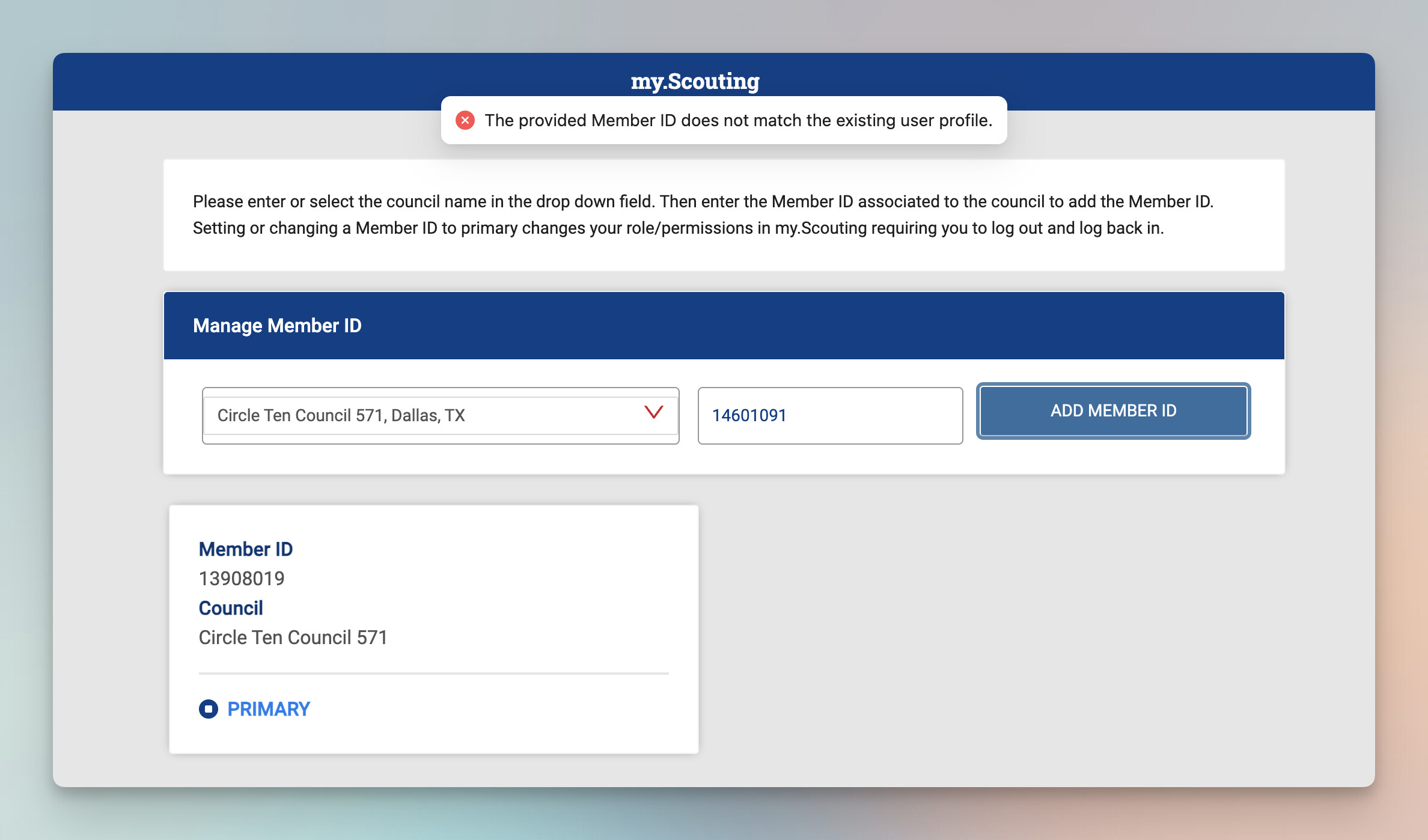
Primary: 13908019
Always used this for managing my kids and where I have YPT, Hazardous Weather, Den Management, etc.
But no registered positions shown!
Others:
14601091
Received approved leader (+background check) email with this in August 2024
No way to access this, cannot recover or ‘Add Member ID’ to associate with my primary
I think my ‘Key 3 Delegate’ access got added to this rather than my primary account
140132199
Created in 2023 by the old pack chair at the time
No idea why a separate account was created, so perhaps this should just be deleted?
When I try to use the ‘Manage Member ID’ functionality to ‘add’ the other member ID to my primary, I get the error: The provided Member ID does not match the existing user profile.
I’m not sure if this is related to this other topic/issue where another user had a similar issue as they were on the council zip code line as I am in one of the impacted Zip Codes Rob mentioned:
The reason you can’t manage these IDs is they have different names. 139 uses your nickname as firstname, 146 uses your legal name and 140 is missing your middle name.
I can fix most of the issues but I need to know which my.scouting.org ID you want to keep, either can be made to work. The one using Google Login or the one that is your e-mail address.
I would prefer to keep 13908019 which has the Google login as my primary. That’s what I’ve used for a long time and is what I manage my kids membership with and where I’ve completed training.
A critical requirement would be to retain the ‘Key 3 Delegate’ access which I believe was assigned to the 14601091 account.
(Ultimately, I’m fine with either remaining the primary as long as the kids management, training, and leadership position is retained… as I can always re-link Google Login or reset the passwords as needed)
Your accounts are cleaned up and all of your Scouting America Member IDs are managed under your Google login my.scouting.org ID.
You need to contact your Council and have them use the Relationship tab of Registrar tools to move the relationship with your children from MID 13908019 to MID 14601091. Since 14601091 is your registered MID, this is primary and needs to be used going forward.